Buy US stocks in a few taps
NVIDIA, Tesla, Apple and hundreds more, with an assistant that explains what moves them.
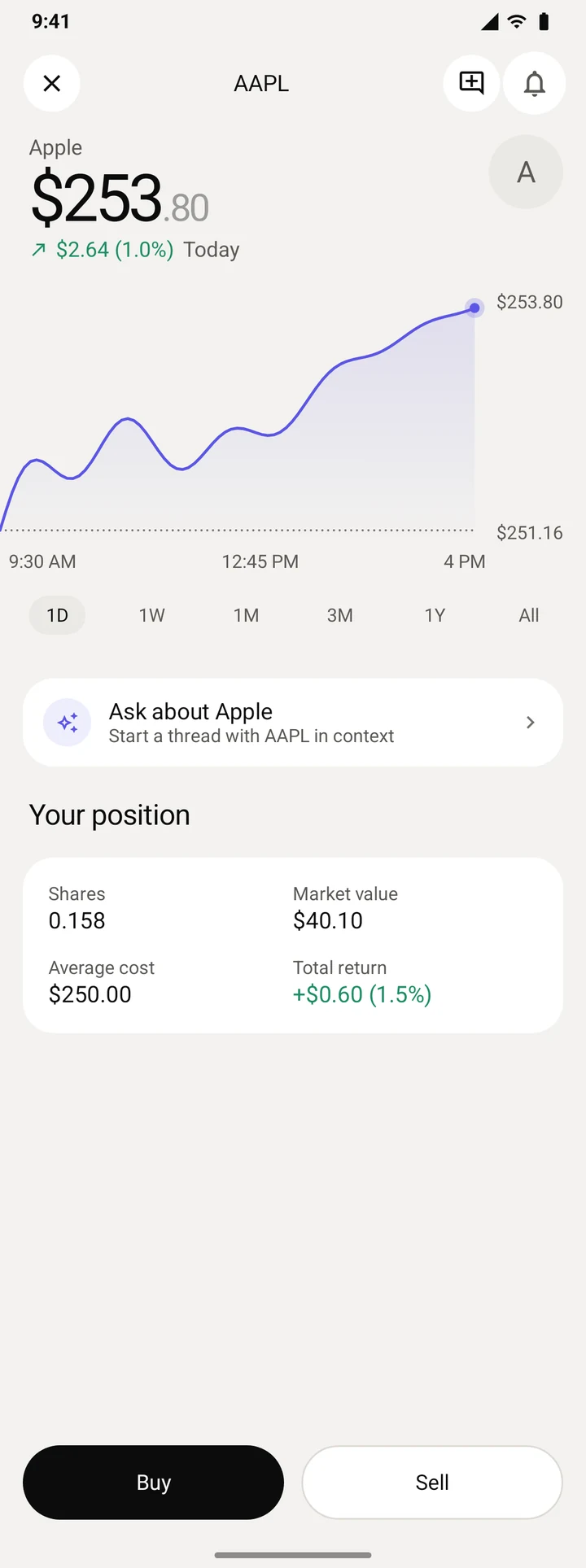
Buy a stock in three steps
Search for it, choose an amount and approve. There is no account to open and no password to remember.
-
 Step 1
Find it
Search by name or ticker, or start from your stocks, Following, ETFs or today's top movers.
-
 Step 2
Choose an amount
Type dollars or shares. The price updates every second, and you can pay with dollars or with another stock you hold.
-
 Step 3
Approve it
Approve once on your phone. The stock joins your portfolio, and Moonstone shows what you paid.
You can buy part of a share, like $150 of Apple.
US stocks trade Monday to Friday, 9:30 am to 4 pm New York time.
Ask about any stock
Long-press a stock to add it to a thread, or tap Ask about Apple on its page. Moonstone answers with the moves and the news behind them.
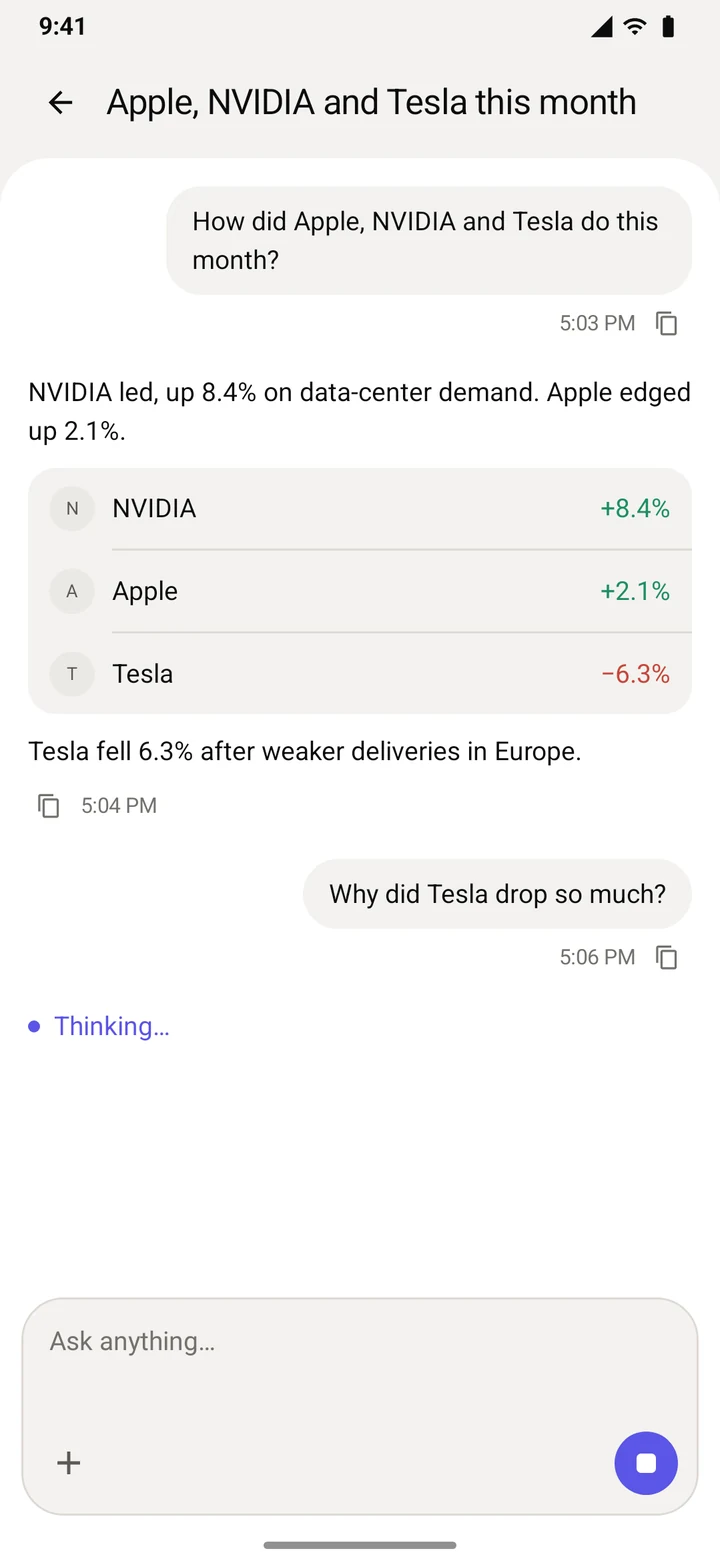
Your stocks, or all of them
A thread starts with the stocks you picked, or with your whole portfolio.
What moved, and when
Replies can show how each stock moved over the period you asked about.
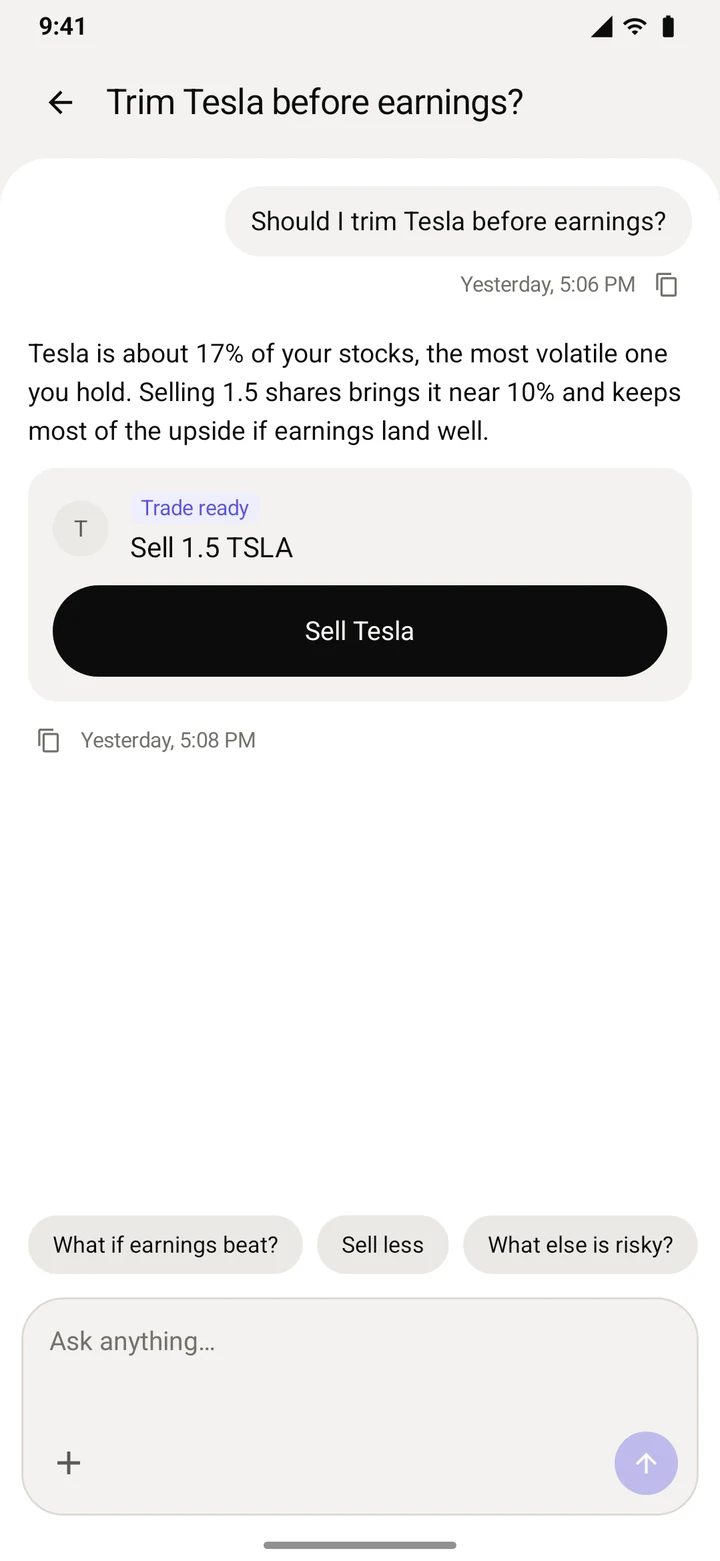
You still approve it
When a trade fits the question, the reply carries it. Tapping it opens the amount screen filled in, ready for your approval.
The assistant never trades on its own.
Your portfolio and your watchlist
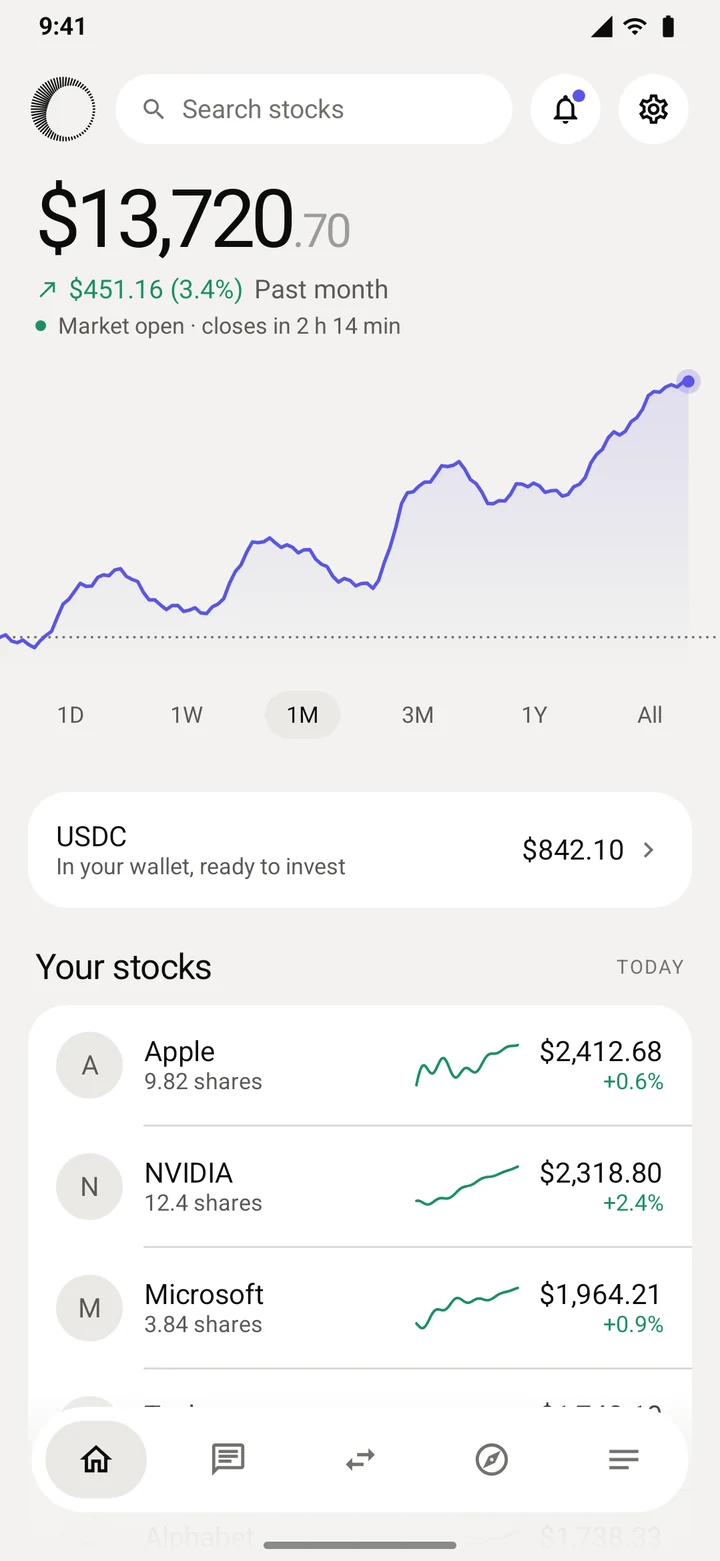
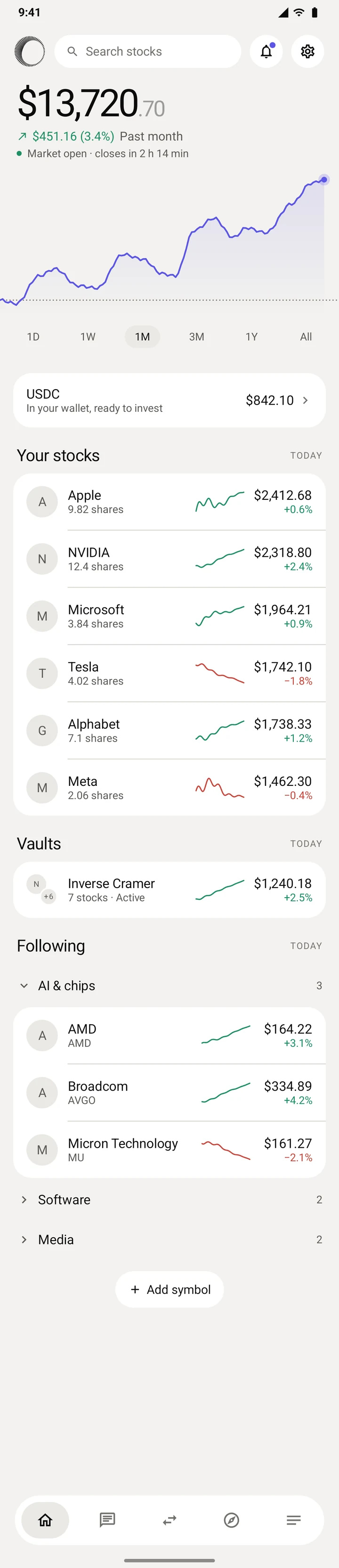
Home shows what you own, what it is doing today, and everything you follow.
- Your totalEverything you hold, vaults included, with a chart from one day to all time and whether the market is open.
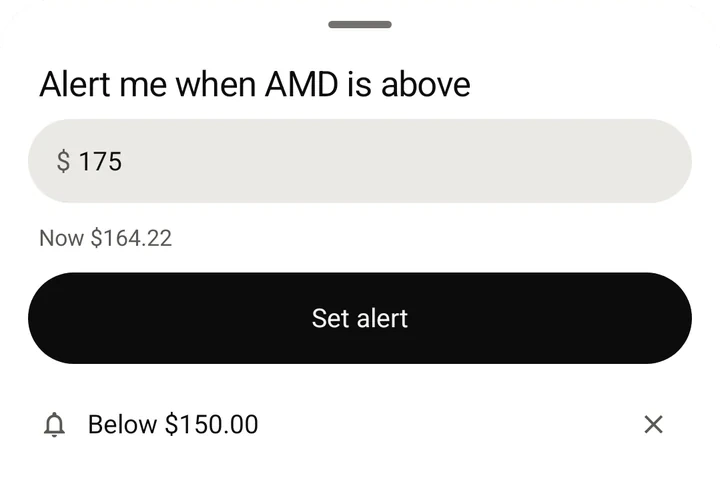
- FollowingYour watchlist, in sections you name. Long-press a stock to buy it, ask about it or set an alert.
- AlertsPrice alerts you set, a 5% day in anything you hold or follow, tracker moves and news, in an inbox and as phone notifications.
Ideas, movers and the news
Explore and News help you find what is worth a look, and every page lets you ask about a stock or open it to trade.
Today's ideas
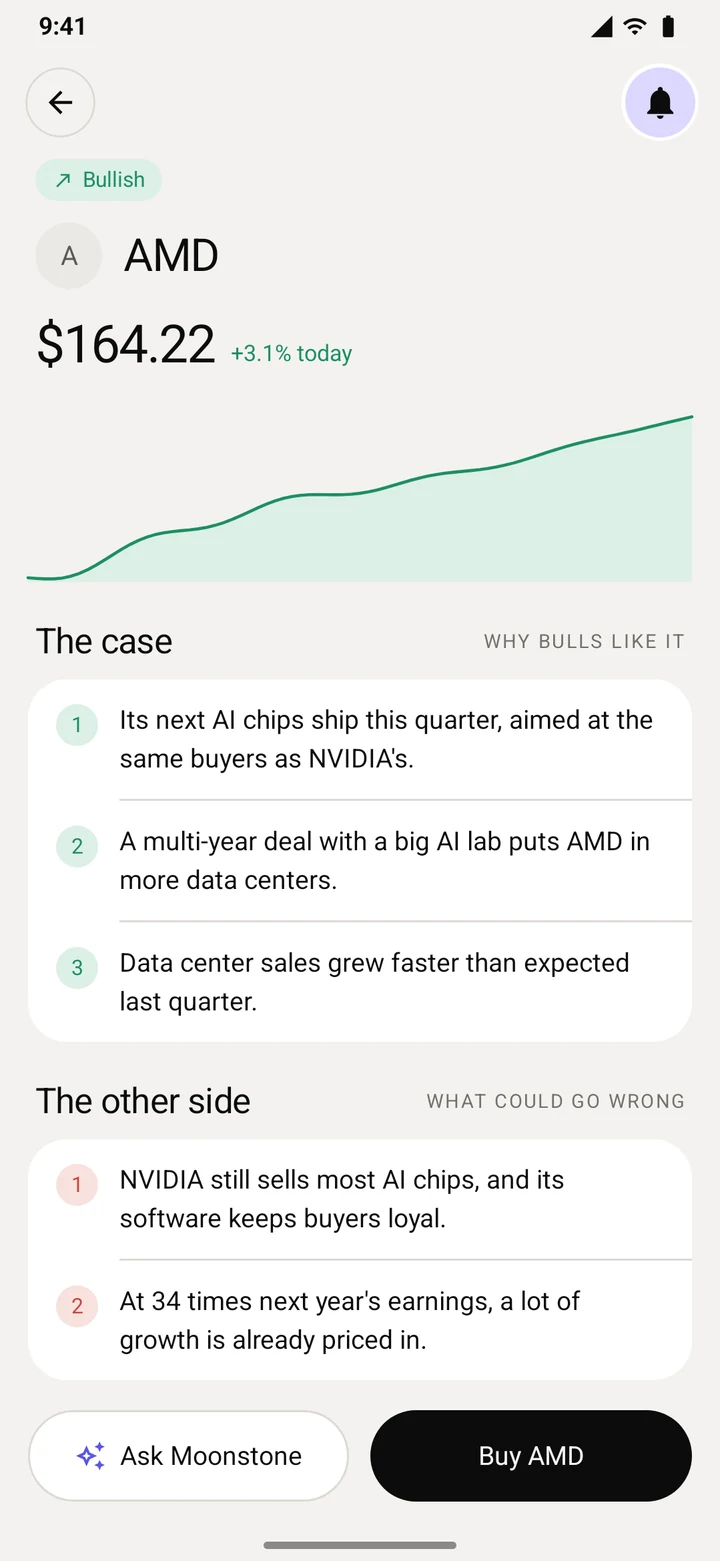
Bullish and bearish cases built from Moonstone's reads of recent news. Each idea names the stories behind it, and none of it is advice.
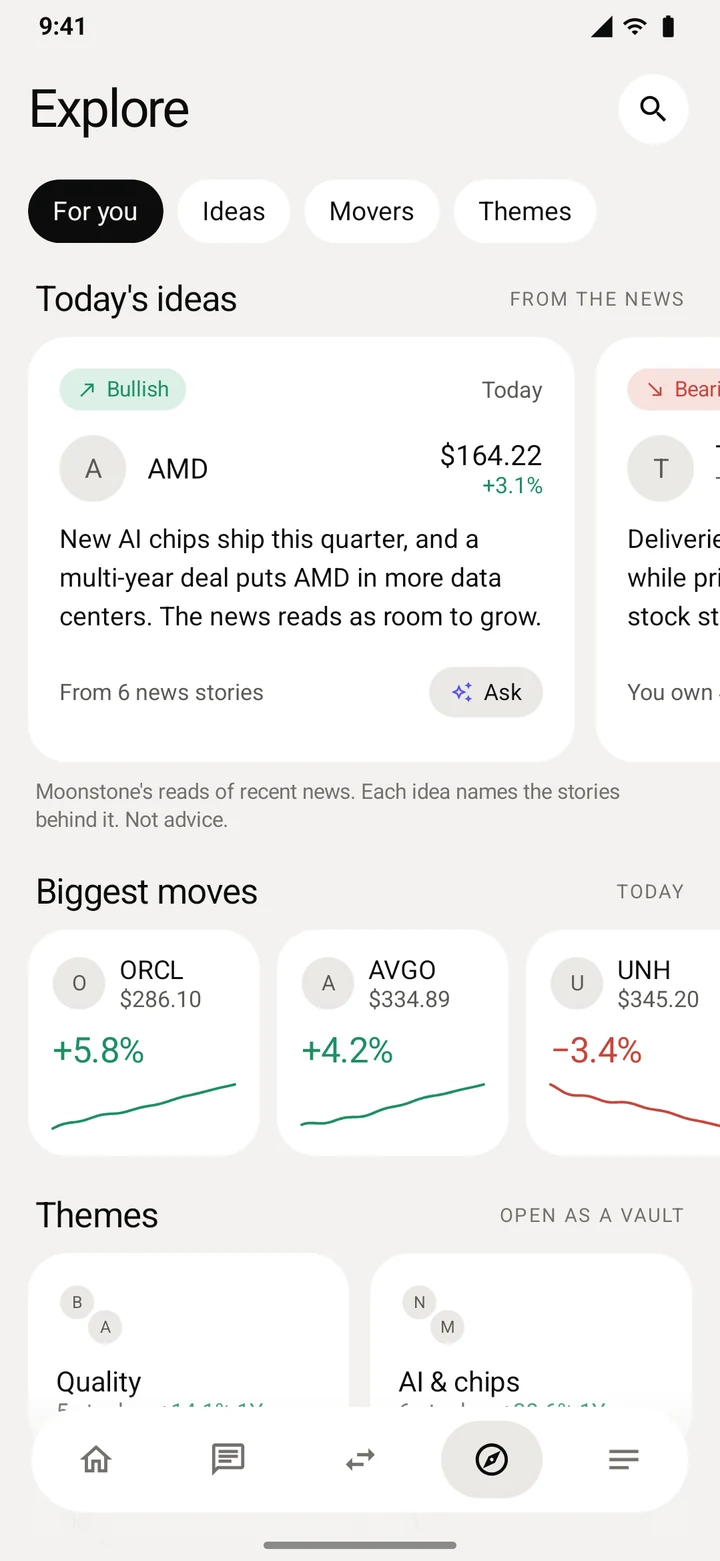
Biggest moves and themes
Today's largest moves across the listed stocks, and themes like AI & chips, Quality, Dividends and Healthcare.
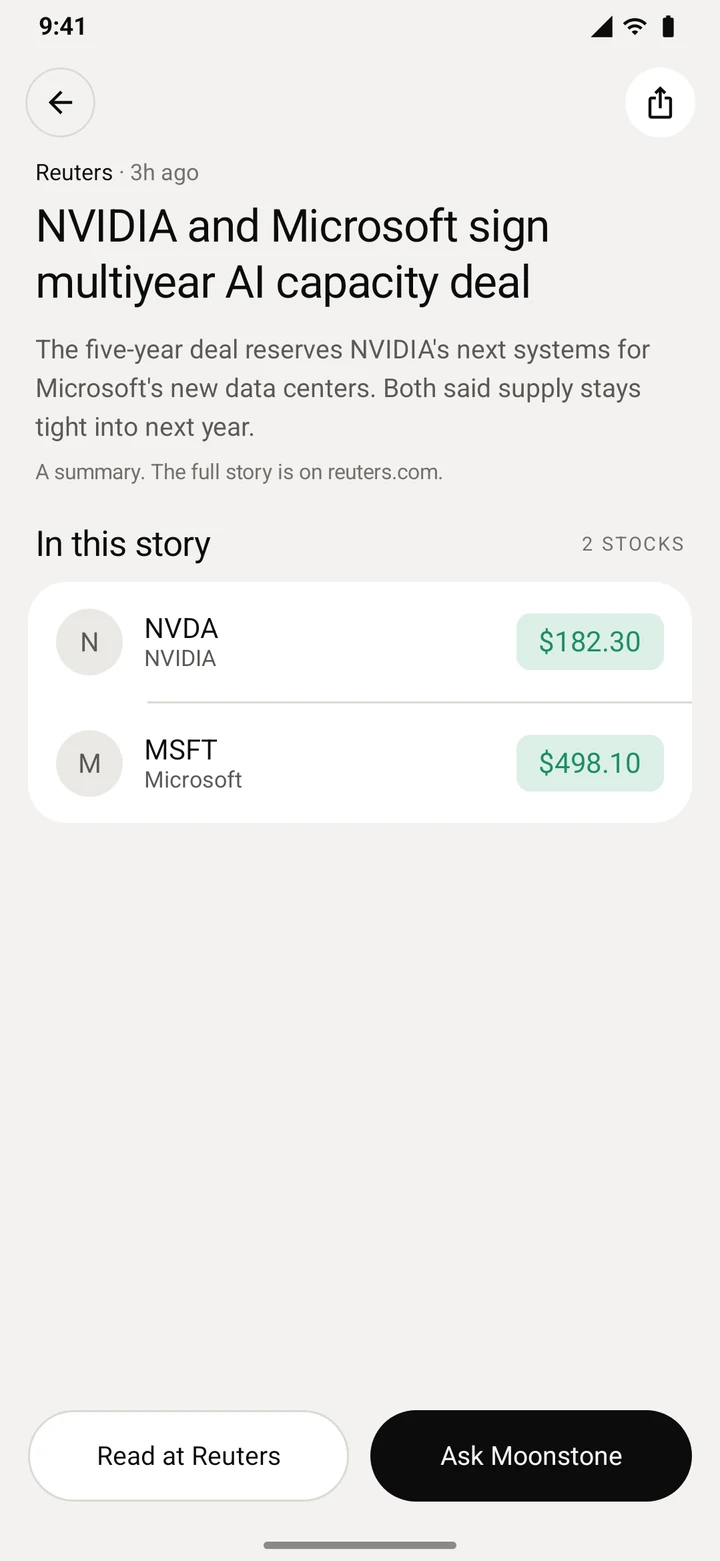
News, summarised
Top stories, what you follow and what you hold, with a short summary on every story and a page for every company.
Vaults trade for you, inside your limits
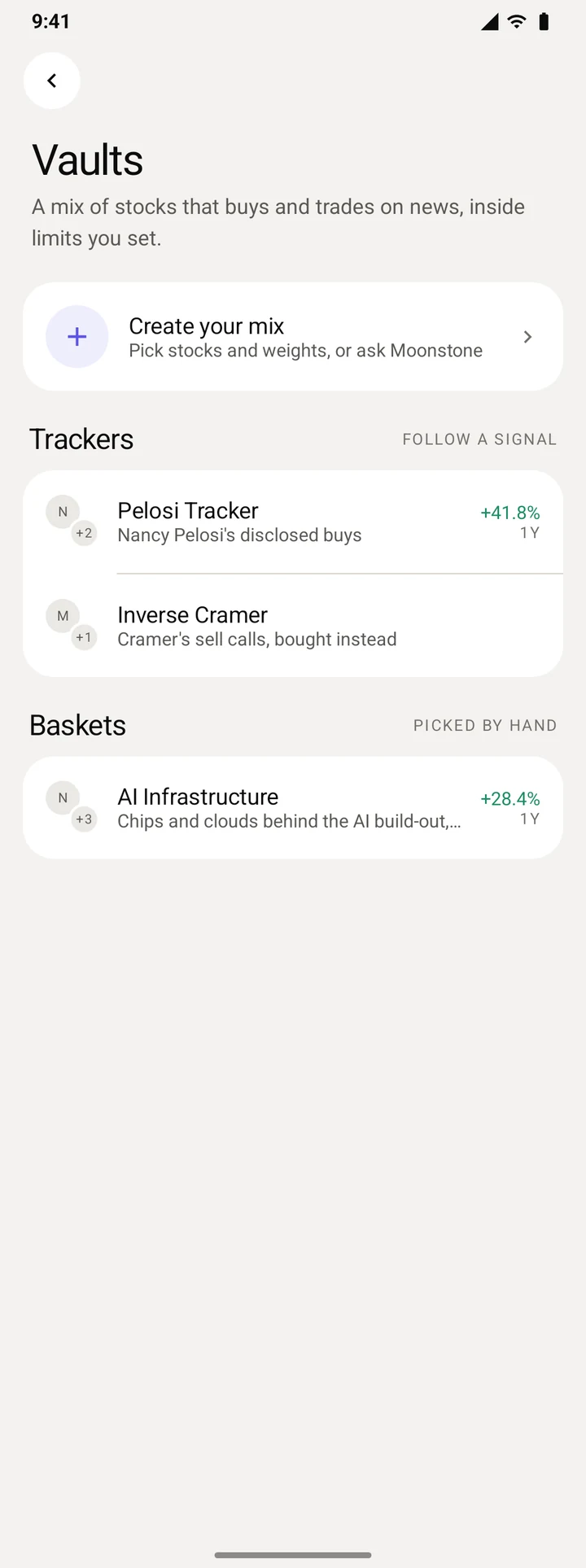
A vault is a mix of stocks that buys and trades on news, inside limits you set. It is optional, opens from Trade, and runs in its own account.

Start from a signal
Pelosi Tracker holds the stocks Nancy Pelosi disclosed buying in the last 12 months. Inverse Cramer holds the stocks Jim Cramer told callers to sell. Each shows its past year against the S&P 500.
Or a basket, or your mix
Hand-picked baskets like Buffett and AI, or any 1 to 24 stocks with weights that add to 100%.
Fund it once
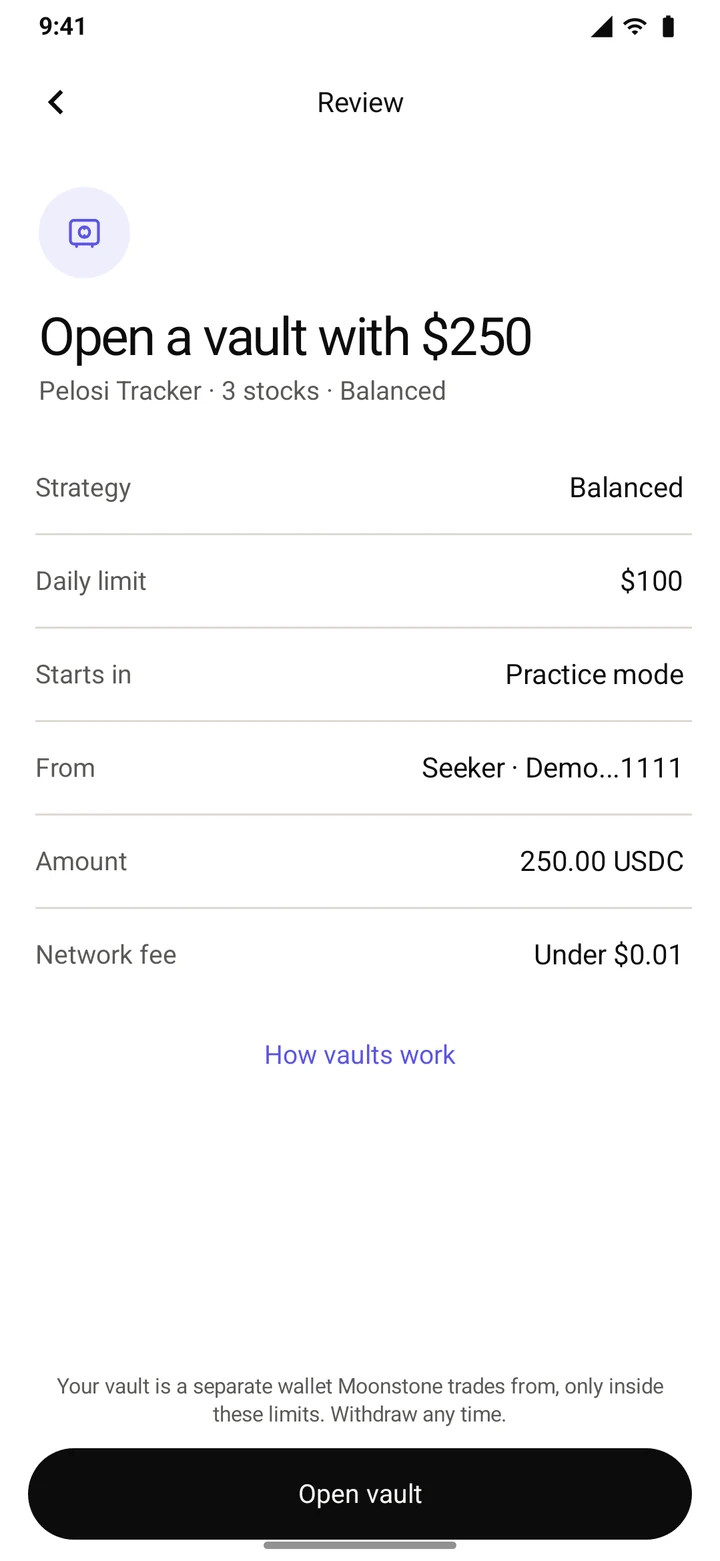
Add at least $10 the first time and set a daily limit. One review screen, one approval.
Practice first
It shows what it would have done and trades nothing until you go live.
Then it reads the news
About once an hour a model reads the news on each stock. Big, corroborated company news can top up a stock under its weight, and fraud, a halt or a delisting sells it.
Withdraw any time
Take your money out whenever you want.
More than 400 US stocks and funds
From the biggest tech names to index funds and gold. Each one is checked before the app offers it, and nothing outside the list can be bought.
Stocks here are sold only outside the US. The app asks you to confirm it once, before your first stock buy.
You stay in control
Moonstone prepares each trade, and nothing moves without your approval.
No password to steal
You sign in by approving on your phone, so there is no password to leak.
One approval per trade
Every buy and sell waits for you to approve it on your phone.
Only what you approved
Moonstone sends an order only when it matches exactly what you approved.
Price protection
If an order would fill more than 2% away from the market price, Moonstone stops it. You can change that limit in Settings.
A fixed list
The app, the assistant and vaults use only the assets on Moonstone's list, and the server checks every buy against it.
Vaults are opt-in
A vault opens only when you set one up. It runs in its own account, starts in Practice and keeps to its daily limit.
Questions
Do I need to know how crypto works?
No. Moonstone works like any stock app: pick a company, choose an amount and follow how it does. Behind the scenes your dollars are held as USDC, a digital dollar, and a little SOL covers network fees. Deposit in the app shows where to send them.
How do I buy a stock?
Search it, open its page, tap Buy, type an amount and approve it on your phone. There is no order form to fill in.
Where are my stocks held?
In a wallet on your phone that only you control. Moonstone never holds your money: it prepares each trade, and you approve it.
Are these real stocks?
They are tokenized stocks: tokens on Solana backed 1:1 by real shares their issuer holds. The issuer is Backed for xStocks and Ondo Global Markets for Ondo stocks. They are not the shares themselves, and your rights differ from owning the stock through a broker.
Who can buy stocks here?
Non-US residents outside restricted countries. The app asks you to confirm it once, before your first stock buy.
When can I trade?
US stocks trade Monday to Friday, 9:30 am to 4 pm New York time. Outside those hours, Buy shows when the market opens and can remind you.
What is a vault?
An optional account that holds a mix of stocks and trades on news inside a daily limit you set. You add money to it, it starts in Practice, and you can withdraw any time.
Does the AI trade for me?
No. Threads answer questions and can suggest a trade, which you approve yourself. Only a vault trades on its own, and only once you open one and take it out of Practice.
Which phones does it run on?
The Solana Seeker, and Android phones with Phantom or Solflare installed.